While we addressed one frequently asked question earlier this week, today we’re going to tackle another. A number our iPhone readers at jailbreaking iOS 6 submit questions pertaining to unlocking on a daily basis. For those of you who are unaware, the process of unlocking allows users to take their iPhone to a different carrier and use their services in lieu of their original provider.
All iPhones, save the ones that are bought in full for the unsubsidized price, are locked to the carrier they were purchased from.
How is Unlocking different from Jailbreaking iOS 6?
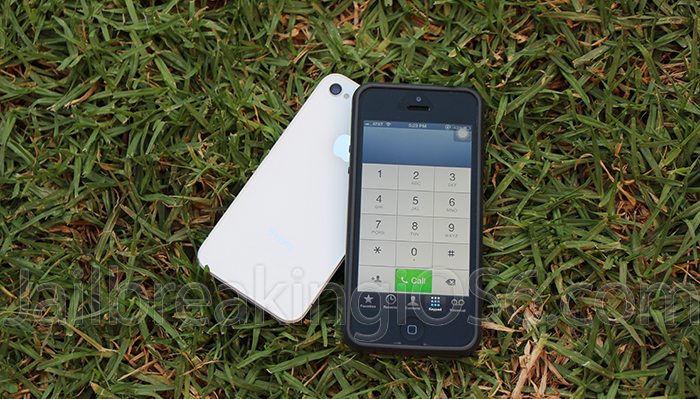
As mentioned above, unlocking and jailbreaking are two completely different processes, which yield different results. When a user jailbreaks an iOS device, they’re essentially installing Cydia and opening it to an entirely new world of third-party applications, themes and much more (additional details here). Alternatively, when an iPhone is unlocked, it allows the user to switch to other carriers and services.
The three different Unlocks:
Although most users are only aware of one or two types of unlock methods, there are actually a total of three; all of which are detailed below.
Software-based iPhone Unlock
Currently, the only major software unlock for the iPhone is through a utility developed by the iPhone Dev Team called Ultrasn0w. However, before you get your hopes up, there are severe limitations to the tool, as it hasn’t received a significant update in well over a year. Ultrasn0w officially supports up to iOS 5.1.1 and is able to unlock select iPhone models on specific basebands (Modem Firmware). Here’s a list of supported iPhones and basebands:
- iPhone 3G and 3GS - 04.26.08, 05.11.07, 05.12.01, 05.13.04, and 06.15.00 (the iPad baseband).
- iPhone 4 - Unfortunately, Ultrasn0w only supports the iPhone 4 on baseband 01.59.00.
If you have an older iPhone, you can determine if your baseband is compatible by opening the Settings app, navigating to General, About and looking for the Modem Firmware.
Hardware-based iPhone Unlock
To simply sum it up, a hardware unlock utilizes the addition of a small device that’s inserted into the iPhone underneath the SIM card, which then allows the device to function on unsupported carriers. While it sounds great, the major problem with hardware-based unlocks is that similar to Ultrasn0w, not all iPhone basebands are supported.
Additionally, more often than not, resellers of hardware unlock solutions are simply there to make money and exclude which iPhones and basebands are included and supported by their products.
IMEI iPhone 5, 4S, 4, 3GS and 3G Unlock
As apparent by the title of this section, IMEI unlocks are truly the only way to go if you’re looking to unlock your iPhone on the latest iOS 6 firmware or earlier. Before we go too in-depth, it’s crucial to mention that an iPhone’s IMEI (International Mobile Equipment Identity) is a unique 17 or 15 digit code, which is used by manufacturers and carriers to identify and differentiate every mobile phone. To determine your iPhone’s IMEI, simply open the Phone app and dial *#06#. Apple utilizes an iPhone’s IMEI to categorize iPhones by either factory locked or factory unlocked.
Which iPhones, Firmwares and Basebands are covered through IMEI unlocks?
Essentially, because companies who provide IMEI unlocks employ the same methods as official carriers, an iPhone’s firmware and baseband are irrelevant. Moreover, the iPhone 5, iPhone 4S, iPhone 4 and iPhone 3Gs can all be unlocked by their IMEI.
Firmwares supported through IMEI unlock methods -
- iOS 4: 4.0 - 4.3.5 (including the following, 4.0.1 / 4.0.2 / 4.1 / 4.2.1 / 4.3.1 / 4.3.2 / 4.3.3 / 4.3.4)
- iOS 5: 5.0 / 5.0.1 / 5.1 / 5.1.1
- iOS 6: Apple’s latest 6.0.1 firmware and their upcoming iOS and 6.1 version
As mentioned above, all basebands for the supported iPhones are covered through IMEI unlocks. However, if you still want to check, the following are compatible:
IMEI Unlock iPhone Basebands
01.00.16 iPhone 5 Unlock
03.00.04 iPhone 4S Unlock
02.00.12
02.00.10
01.00.13
01.00.14
01.00.11
03.00.04 iPhone 4 Unlock
04.12.02
04.12.01
04.11.08
04.10.01
03.10.01
02.10.04
01.59.00
05.16.07 iPhone 3GS Unlock
05.13.04
05.14.02
05.15.04
05.16.00
05.16.01
05.16.02
05.16.05
Is An IMEI Unlock Permanent?
Thankfully, yes, IMEI iPhone Unlocks are permanent and leave the original Apple warranty in tact. Also, because IMEI unlocks don’t rely on a jailbreak, users can safely update their iPhone to the latest version of iOS without having to worry about losing their unlock.
I’m sold, how do I perform an IMEI Unlock?
Unfortunately, while users cannot IMEI unlock their own iPhones because of the advanced method that’s utilized, there are companies who offer unlock services for a small fee.
Once a customer has purchased an IMEI unlock, we suggest this company, they can start using previously-unsupported SIM cards after only two simple steps:
- Insert the SIM card of choice into the iPhone after the unlock request has been processed
- Connect the iPhone to a computer via the standard USB cable and launch iTunes

It’s honestly that simple. If you’re looking for the fastest and most reliable service that always delivers on schedule, the staff of Jailbreaking iOS 6 recommends this IMEI Unlock Service (available here). As for the recent revision to the DMCA exemptions that will prohibit iPhone unlocking after January of 2013, we’re unclear how it will affect IMEI unlock services. For now at least, most services will continue to provide quick, easy, safe and legal IMEI unlocks.
Thanks for reading and to receive updates and news regarding iOS 6, Unlocking and Jailbreaking, subscribe to our official Jailbreaking iOS 6 UnTethered and iPhone Unlock news feed, follow us on Twitter and Like us on Facebook.


please provide me the contact detail of carrier unlocking of poland orange
if we unblock an IMEI blocked iphone 4, will this erase all the contents and data and restore to factory settings?